Terminal
14 pages · RSS feed
- I built a CLI that creates isolated development environments with git worktrees, automatically installs dependencies, and launches your AI coding agent in a new terminal tab—all in one command.
- My mostly self-hosted mobile development loop: WireGuard from an iPhone into my NixOS machine, persistent Blink/Mosh sessions, a systemd-managed agent-cli server, and an iOS Shortcut for FasterWhisper+Ollama dictation—paired with the best proprietary coding model available.
- After years running them privately across 10+ machines (macOS, Linux, cloud, homelab), I’m open-sourcing my dotfiles, featuring modular configs, dotbins for CLI tools, Nix-Darwin, and more.

- Using 1Password CLI with Keychain for secure, persistent SSH agent access with fewer password prompts after initial setup.
- A solution for managing pre-compiled binaries for CLI tools directly in your dotfiles repository, making tools like
zoxide,bat,eza, and more available on any system without installation.
- 🧰
dotbins: Keep CLI tool binaries in your dotfiles, downloaded from GitHub releases for macOS, Linux, and Windows. No package manager or sudo needed. 📦
- A Python package for creating engaging code walkthroughs in your terminal with rich highlighting options and interactive navigation.
- 📚
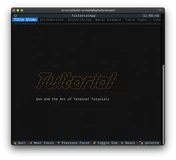
tuitorial: Create interactive code tutorials that run in the terminal, with syntax highlighting and step-by-step focus, configured in Python or YAML. 🖥️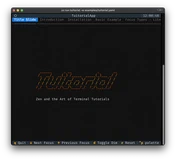
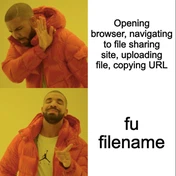
- 🎄🎁 Advent of Open Source – Day 19/24: Sharing files directly from the terminal with a simple, zero-dependency utility.
- 🎄🎁 Advent of Open Source – Day 15/24: Automating the process of sharing code context with AI assistants.
- 🎄🎁 Advent of Open Source – Day 03/24: Rebuilding a popular backup tool in Python for better reliability and cross-platform compatibility.

- A setup for maximal productivity and minimal keystrokes, with
zsh,oh-my-zsh,keychain,starship,autoenv,z,zsh-autosuggestions, and more.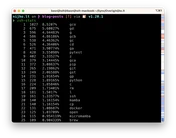
- 🏠
dotfiles: My NixOS, nix-darwin, Homebrew, and zsh setup that I use on every machine, with modern CLI tools installed throughdotbins. 🐚
- 📤
fileup: Upload and share a file from the terminal withfu myfile.txt; the URL lands in your clipboard and the file can expire automatically. 🔗